info@spgtechsoft.com





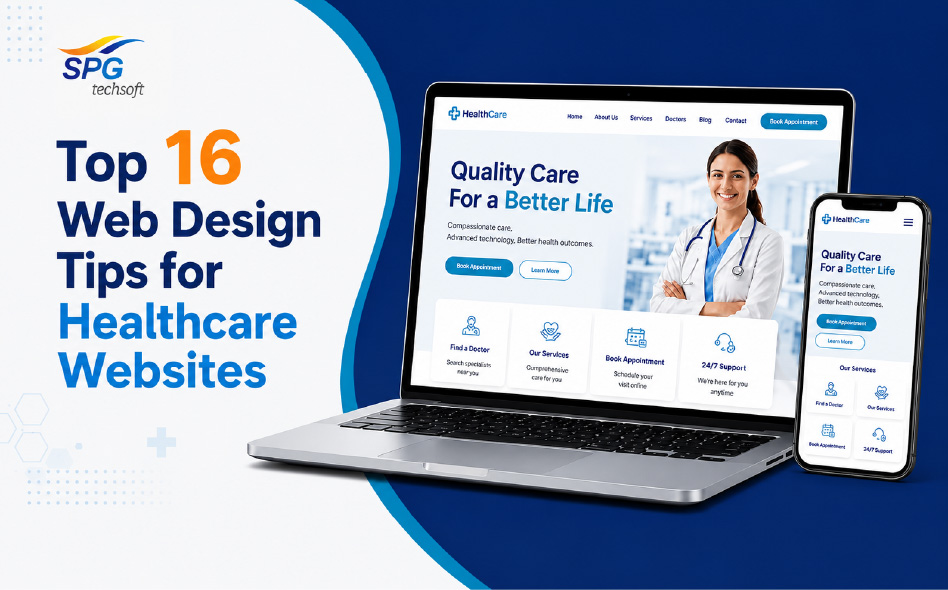
Top 16 Web Design Tips for Healthcare Websites
A website is typically the initial point of contact for a patient. Therefore, the web design services are a must for a healthcare facility, clinic, diagnostic centre, dental practice or healthcare provider. Most people seek out information online before making an appointment or calling for medical advice. They find out about the services, doctors, treatment, and patient reviews. Your website is not just a virtual presence; it’s a powerful tool that helps you establish trust, educate your patients and inspire them to take the next step.
Healthcare websites don’t have the luxury of being impersonal, like many other types of websites, but they do need to be professional and empathetic. Web designing services might help patients. These patients want immediate medical attention, a specialist appointment, or information on personal health issues. The website should clearly explain, be easy to navigate, load quickly, and instil confidence in visitors of being in safe hands.
Regardless of your business type and size, from a multi-speciality hospital to a private clinic, a dental practice to a wellness centre, it can do wonders in enhancing patient engagement and business growth of every kind of business with a thoughtful approach to web design. Let’s dive into the most critical web designing services for a healthcare website and make it the best patient experience.
- Design a Clean and Professional Design
Trust is the foundation of healthcare. A professional, organised, and credible web page makes patients more likely to choose a health care provider.
A clean design features:
- Simple designs with lots of negative space
- Professional typography
- Consistent branding
- High-quality images
- Clear content organisation
Web designing services providers suggest not to have too many colours. You should not use too many ads or too many animations on a page. Your visitors should be able to see that you are who you are, what you do and how they can get in touch with you at first glance.
Your practice’s modern and professional design signifies the care that patients will receive.
- Prioritise Easy Navigation
Web design services for healthcare websites tend to have extensive information. Visitors might be seeking:
- Doctors
- Departments
- Treatments
- Diagnostic services
- Appointment booking
- Emergency contacts
- Health blogs
- Insurance information
These sections are easily navigated with a simple navigation menu. This makes it easy for patients to get information.
Good navigation includes:
- Clear menu labels
- Logical page hierarchy
- Search functionality
- Sticky navigation
- Access to key services via quick links
The fewer clicks needed to access the essential information, the better the overall user experience.
- Make Your Website Mobile-Friendly
A lot of patients use their phones to find health care services today. They can search for local hospitals, make appointments or find emergency services during trips.
A responsive website will automatically resize itself to fit the width of various screen sizes so that users will have a smooth experience on:
- Smartphones
- Tablets
- Laptops
- Desktop computers
Responsive design enhances readability, navigation and accessibility, and also helps with search engine optimisation.
Web design services should ensure visitors navigate your website with their mobile device. Otherwise,they would not stay and will look elsewhere for their health care provider.
- Optimise your website’s loading times
Websites in the healthcare industry should be quick to load, as often users need the information they are looking for right away.
Slow websites can result in:
- High bounce rates
- Lower patient engagement
- Poor search rankings
- Missed appointment opportunities
Some of the ways to improve website speed include:
- Compressing images
- Optimizing code
- Using browser caching
- Minimising unnecessary plugins
- Choosing reliable hosting
Website design services should have quick-loading pages. This not only have a better chance of converting the patient, but they also help enhance their experience.
- Create Trust Through Professional Content.
Patients look for confidence before they take the leap of faith when they decide on a health care provider.
Your website should make it obvious that you have the following attributes:
- Medical services
- Doctor profiles
- Qualifications
- Certifications
- Years of experience
- Hospital affiliations
- Awards
- Patient success stories
Add real-life images of your doctors, staff, and facilities where possible.
Website Design services do not use generic images or photos that do not accurately depict your practice.
Engaging content and genuine imagery helps build trust with your patients.
- Use Clear Call to Action Buttons
The next step in the course of action should always be known to the visitor.
Good healthcare CTAs are:
- Book an Appointment
- Call Now
- Find a Doctor
- Schedule a Consultation
- Contact Us
- Request a Callback
- Emergency Services
- View Health Packages
Web designing services place CTA buttons across the site. It should be in contrasting colours to stand out.
A simple CTA enhances patient inquiries and appointment bookings.
- Simplify Online Appointment Booking
Online scheduling is a preferred way that patients find convenient.
The best appointment system should:
- Be easy to access
- Require minimal information
- Allow date selection
- Show available time periods
- Confirm appointments instantly
Minimising unnecessary steps can mean a faster and easier booking process.
With difficult appointment scheduling, patients may give up on scheduling appointments completely.
- Create a clear understanding of Showcase Healthcare Services
Each medical service will have a specific page.
Web designing services add the following information. They describe on each service page:
- Common symptoms
- Benefits
- Treatment process
- Preparation guidelines
- Recovery expectations
- Frequently asked questions
Service descriptions are written to educate the patient and make the site more visible to search engines.
Organised service pages also allow visitors to easily find the healthcare services they are looking for.
Use high-quality images and videos. Utilise high-quality images and videos.
Visual content is more engaging than text content.
Consider including:
- Hospital reception
- Consultation rooms
- Medical equipment
- Doctors at work
- Staff introductions
- Facility tours
- Educational videos
- Patient awareness campaigns
Visitors are made more comfortable before their visit through videos that explain procedures or introduce the specialists.
High-quality, tidy and contemporary healthcare standards are evident in professional photography.
- Focus on Accessibility
Accessibility is critical for healthcare websites. They should be accessible to everyone, including people with disabilities.
Accessibility features include:
- Readable font sizes
- High colour contrast
- Alternative text for images
- Keyboard navigation
- Screen reader compatibility
- Descriptive headings
- Simple language
Web design services are easy to access, enhance the user experience and help to spread healthcare information.
- Protect Patient Information
The following are often used to gather sensitive patient data on healthcare websites:
- Contact forms
- Appointment bookings
- Medical inquiries
Security on the websites is of high significance.
The critical security features are:
- SSL certificates
- Secure hosting
- Encrypted data transmission
- Regular software updates
- Strong authentication
- Malware protection
- Routine backups
A secure website ensures patient privacy and trust.
Have contact details visible at the top of the page.
Patients never should have to be unable to reach their healthcare provider.
Every page should display:
- Phone numbers
- Email addresses
- Clinic location
- Google Maps integration
- Operating hours
- Emergency contact numbers
A lot of healthcare websites have a contact form in both the header and footer so that they can be easily accessed.
Effortless communication can help speed up patient engagement.
- Highlight Patient Testimonials
Social proof is valuable from the positive experiences of patients.
Testimonials provide a window into potential patients’ understanding that:
- Quality of care
- Doctor professionalism
- Treatment success
- Staff behaviour
- Facility cleanliness
When possible, add verified patient reviews, with permission.
Patient reviews can sway more than promotional material when it comes to healthcare decisions.
- Add Educational Health Content
Web design services have healthcare websites that have informative but also educational.
A blog, which is continually updated, can address the following topics:
- Preventive healthcare
- Seasonal illnesses
- Nutrition advice
- Mental wellness
- Child healthcare
- Women’s health
- Senior care
- Lifestyle improvements
Educational content is one of the ways you can position your healthcare organisation as a trusted source of medical information.
It also enhances the Search Engine Optimisation (SEO) of your site by focusing on relevant searches.
- Optimise for Local SEO
Most health care providers have a geographical area they provide services to.
Local SEO works to get your website found in search results for:
- Hospital near me
- Dentist near me
- In my city, there’s a paediatrician.
- Orthopaedic clinic nearby
Make a place more visible locally by adding:
- Location-specific keywords
- A web integration with Google Business Profile.
- Consistent business information
- Local patient reviews
- A multi-branch location page(s).
Local SEO brings patients who are in the area looking for healthcare services to your business.
- Maintain Consistent Branding
Web design services focuses on healthcare branding. It ought to convey professionalism, empathy, and dependability.
Maintain consistency across:
- Logo
- Colours
- Typography
- Icons
- Photography style
- Messaging
- Tone of voice
Every page will have the same visual identity, which will enhance brand recognition and provide a reassuring experience for patients.
- Include Frequently Asked Questions
There are some similar concerns that patients usually have before they make an appointment.
FAQ sections can provide answers to questions such as:
- How to book an appointment?
- What car insurance cover is valid?
- Which documents do I need to take?
- Are walk-in consultations available?
- What time are your consultation hours?
- Where can I get test reports?
Answering questions in advance helps avoid confusion and avoids needless repetition of questions.
- Apply analytics to help improve performance
Web designing services create a healthcare website with periodic performance measurement. This allows for the identification of improvement opportunities.
Monitor data including:
- Website traffic
- Bounce rate
- Appointment conversions
- Mobile usage
- Popular service pages
- Search keywords
- User behaviour
Data-driven improvements ensure your website continues to meet patient expectations and business goals.
An effective healthcare website is much more than an online brochure. It is a reliable source of information for patients to find out about services, locate qualified health care providers, make appointments and be confident of the services they receive. website design services focuses on user-friendliness and responsiveness to data security. very element of the design contributes to the overall patient experience.
Simplicity, accessibility, quick speeds, content that builds trust, patient convenience – these core principles can help healthcare organisations develop a website that attracts visitors and also transforms them into long-lasting patients. Usability and credibility are further improved with features including online appointment booking, educational blogs, clear calls-to-action, local SEO optimisation and robust security measures.