info@spgtechsoft.com





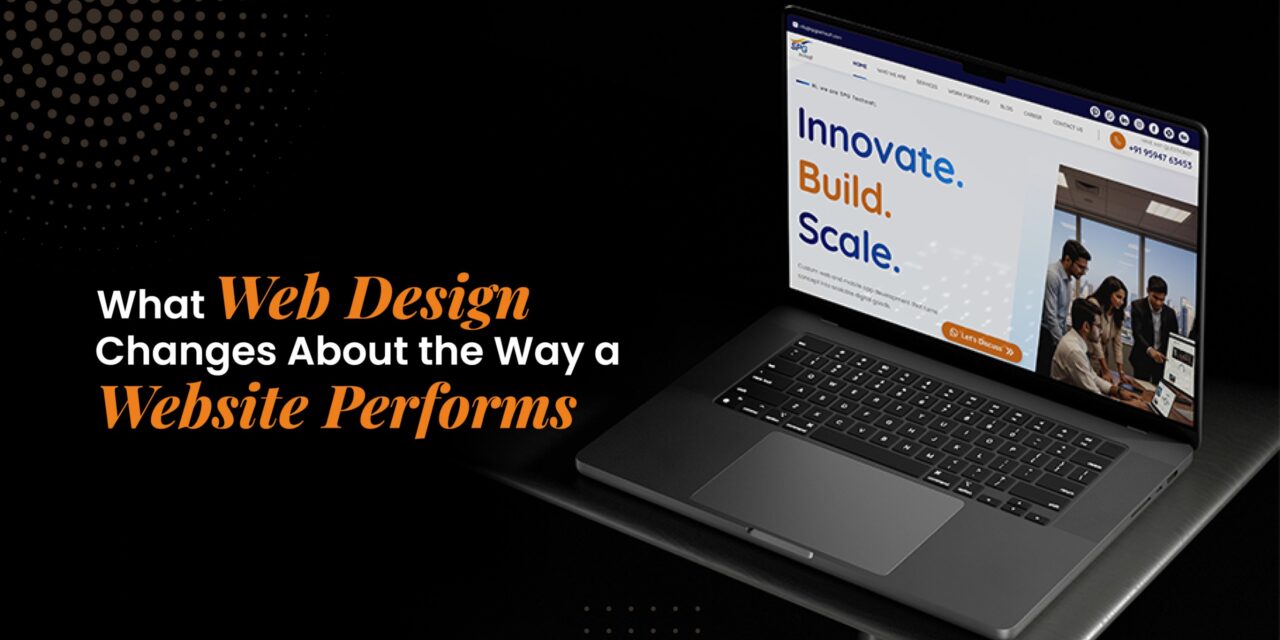
What Web Design Changes About the Way a Website Performs
A desktop preview only tells you so much. Open the same site on a phone, and the menu may feel cramped, while a large hero image can push the useful information much further down the page.
At that stage, the layout is affecting how the site actually works. The way it works becomes part of the problem too.
Colors and fonts are easy to notice. The less obvious decisions often have more to do with how someone actually uses the site, particularly when they switch from a large screen to a phone.
Google needs a clear route through the site. Pages that matter should be easy to reach through links rather than being buried several levels deep.
No layout is going to guarantee a Google ranking. The design still deserves attention before the site is finished, though.
1. Start with the site structure
Start by figuring out which pages the website needs and where they should sit.
Visitors should not have to guess where a page belongs or how to reach the next relevant section.
It is easy for a business to put all of its services on one long page. Once web development, marketing, maintenance, and other offerings are sitting together, finding one specific service can take a fair amount of scrolling.
An online store can run into the same problem when too many products are pushed into one menu. Categories give visitors a simpler way to browse the range.
Google recommends making important pages accessible through crawlable links. That makes the site’s structure important from a search perspective as well.
1.1 Keep the menu from becoming a mess
Once the menu starts carrying every page on the site, it becomes difficult to use.
A main menu packed with every service, article, and product category quickly becomes difficult to use. Don’t try to squeeze the entire website into the main menu. Put the main sections there and let category pages and internal links handle the deeper pages.
Individual products do not need to sit in the main menu. Broad groups like clothing, footwear, and accessories can handle the top level, with shoppers moving into the products from there.
1.2 Link pages that actually belong together
An internal link should give the reader somewhere useful to go next.
A guide about website security can link to a security service. A service page can point to a case study. An article about e-commerce can lead to a related development guide.
That creates a path through the website without forcing everything into the main menu.
Adding links for the sake of it does not make a page better. A link is more useful when it takes the reader to something related, whether that is a service page, a case study, or another useful article.
2. Don’t design the desktop first and forget about the phone
A layout may look fine on a large monitor and fall apart once it reaches a phone.
A desktop layout can look perfectly fine until you open it on a phone. Headings wrap differently, buttons have less room around them, and sections that felt spacious on desktop can suddenly feel crowded.
Google indexes the mobile version of a site under its mobile-first approach. So the mobile layout cannot be something you sort out at the very end of the project.
Responsive design helps, but looking at a responsive preview is not enough. Test the actual layout on smaller screens.
Things worth checking include:
- Main navigation
- Font size and line spacing
- Button placement
- Contact and inquiry forms
- Image scaling
- Spacing around interactive elements
The mobile version should still contain the important content found on desktop. If key information disappears on smaller screens, that can create both usability and indexing issues.
For a web designing company, sorting this out while the layout is still being developed is a lot easier than rebuilding it after launch. A responsive web design approach can help keep the experience consistent across different screen sizes.
3. Think about page weight while choosing the design
A lot of web performance trouble starts with good intentions.
Someone wants a large hero image because it looks impressive. Another section gets a background video. Then come the animated cards, sliders, and custom fonts.
Individually, none of these things seems particularly bad. Put them together, and the page can become heavy.
Google’s Core Web Vitals look at loading performance, responsiveness, and visual stability. The three measurements are Largest Contentful Paint, Interaction to Next Paint, and Cumulative Layout Shift.
Google recommends:
- LCP: 2.5 seconds or less
- INP: below 200 milliseconds
- CLS: below 0.1
These are useful targets when checking the finished site.
That does not mean a website needs to be stripped down. A product animation that explains something is probably more useful than a decorative animation that simply moves around the screen.
During web design, it is worth asking what an element is actually doing there.
If the answer is only “it looks cool,” it may not be worth the extra load.
4. Make the main information easy to spot
People generally scan a webpage before they decide whether it is worth reading.
This matters a lot on service pages.
Imagine landing on a website looking for website development. The first thing you see is a large animation. Then there is another graphic, followed by a few vague lines about innovation and digital transformation. You finally reach the actual service details after scrolling through half the page.
Nothing is technically broken. The experience is still poor.
The page should make its purpose obvious fairly quickly. A useful heading, a short explanation, and the important details can come first. Images, testimonials, and other visual elements can support that information afterwards.
Headings also need to mean something. They should describe the section underneath them instead of being added simply because the design needs another text block.
Good web design often comes down to knowing what deserves attention.
5. Don’t hide useful content behind too many clicks
Tabs and accordions can be handy, especially on long pages.
An FAQ section is a good example. Visitors may want to open only the questions that matter to them rather than scroll through everything.
The problem comes when basic information gets buried behind layers of interaction.
An e-commerce customer should not have to open several menus before reaching an individual product. Someone comparing services should not need to click through multiple panels simply to understand what a company actually offers.
JavaScript itself is not automatically an issue. Google can process JavaScript, but important content and links still need to be accessible in a way that can be discovered and rendered.
There is a simple practical test here: Can someone get to the information without fighting the interface?
If not, the design probably needs another look.
6. Treat images as part of the functionality
Images are there to do a job.
A product photograph helps someone understand what they are buying. A project image can show previous work. A simple illustration can sometimes get the point across faster than a block of text.
The problem comes when those files are much larger than the page actually needs.
A small product card does not need a massive original image. Resize files to suit their actual display size and compress them where practical.
Alternative text deserves attention as well. Meaningful images should have suitable alt text. A decorative image does not need a keyword-stuffed alt description.
When an image links to another page, Google can use its alt text as the link’s anchor text.
That does not mean every alt field needs to contain a target keyword. Alt text should explain the image rather than serve as another place to insert keywords.
7. Don’t Let Pop-Ups Take Over the Page
A signup form or special offer may be perfectly reasonable. It becomes irritating when the page is barely visible before the overlay appears.
This is especially noticeable on mobile. Phones make this problem harder to ignore. A large overlay can leave the visitor looking at a pop-up instead of the page they came to see.
Google also warns against intrusive interstitials that make the main content difficult to access.
Timing makes a difference.
A signup message shown after someone has read an article is one thing. A full-screen box appearing the instant the page loads is another.
Before using an overlay, think about when it should appear, how much space it takes up, and whether it can be dismissed easily.
8. Leave some room for the business to grow
A website that works perfectly with ten pages may become awkward when it has one hundred.
Businesses add services. Products come and go. Blogs grow. New landing pages get created for campaigns or locations.
The original website structure should not make every future addition feel like a workaround.
This is something worth asking a web design company about before development starts.
For example, ask:
- How will new service pages fit into the existing navigation?
- Can new landing pages be added without redesigning the site?
- Will the blog layout work for longer articles?
- Can FAQs, case studies, and related content be added later?
- How will internal links be handled as the site gets bigger?
It is much easier to think about this at the beginning than after the navigation has become tangled.
9. Consider search visibility while the website is being designed
SEO does not need to dominate every design discussion.
A few basic questions are enough to start with.
Which pages matter most? How will visitors reach them? Where will the main content appear? What happens on mobile? Can new pages be added later without breaking the structure?
Answering those questions early gives designers and developers something concrete to work with.
It is easier to catch these problems before the site is finished. Otherwise, a business may discover later that important content is buried or that the mobile layout needs major changes.
When choosing a web design company in Mumbai, businesses should also ask how the website will be structured for users, search engines, and future growth.
A website design company should be able to talk about how the site will be structured and maintained, not just how it will look.
10. What Visitors See After They Reach the Website
The visit doesn’t end when someone clicks through from Google.
Once they land on the page, the purpose should be clear fairly quickly.
A service page needs to make the offering clear and give people enough information to decide what to do next. Previous work, FAQs, or a contact option can help. On a product page, the basic details should not be hidden in separate sections.
The way the page is designed can shape what the visitor does next.
A page may attract visitors but still generate very few inquiries if the experience is confusing. People should not have to dig through the page to find a basic answer.
When Your Website Actually Needs a Redesign
Sometimes the existing site needs a few targeted changes rather than a full rebuild.
A new color scheme or a few different animations won’t fix a website that has deeper problems. A poorly planned redesign can also remove useful pages, change URLs unnecessarily, or make the navigation harder to use.
A redesign may be worth considering when a website has clear problems such as:
- Poor mobile usability
- Slow page loading
- Confusing navigation
- Outdated templates
- Difficult-to-access information
- A site structure that no longer fits the business
- Limited room for new pages or content
Before changing the site, identify what is actually causing trouble.
How Web Designing Shapes a Website
The visual style and the way people use the site need to work together.
The site should look like the company behind it. The layout should not get in the way of basic tasks, though. Keep the navigation clear and check whether oversized images are really earning the space and loading time they require.
Someone visiting from a phone should still have access to the information available on the desktop. Interactive features are fine too, as long as the basic details remain easy to reach.
These changes won’t guarantee a particular position in Google. They do give the business a cleaner site to build on, especially as more pages and content are added.
Businesses choosing web designing services in Mumbai should look beyond the presentation and ask how the finished site will actually work.
The real test comes when people start using the finished site. Basic information should be easy to find without wrestling with the layout.